
Tech X support
Tell us what needs attention.
Describe the issue, choose help now or schedule later, and complete one secure checkout.
support blocks
Purchase the amount of time you expect to need.
Choose one to four hours. Your technician will confirm the scope and appointment before the attended session begins.
$98.00
Venmo or Zelle
$196.00
Venmo or Zelle
$294.00
Venmo or Zelle
$392.00
Venmo or Zelle
select your support path
Choose how you would like to purchase support.
Your selection determines whether a future appointment needs to be scheduled.
connect now, or choose your ideal support window
Or, choose your support window
The source calendar uses Eastern Time. Displayed appointments automatically adjust to your local time zone.
Choose a support duration to load available appointments.
Continue or Add Time
Enter the name, phone number, and email used on your original request. Choose a matching ticket below, and we will email its details and a link to continue support or purchase additional time.
one-step support checkout
Describe it once. Pay once. Then choose your time.
Your support summary stays with the verified payment, so you do not need to complete another request form afterward.
Want help immediately? Call 1(844)844-0991. If a technician answers and is available, support may begin on the spot.
Choose Zelle or Venmo to open the payment code.
Direct to your appointment.Secure payment instructions from Tech X
Zelle® direct-payment discount
Send $89 to Orange Structural LLC
On a phone, tap the Zelle link below. On another device, scan the bank-issued code.
Open Zelle payment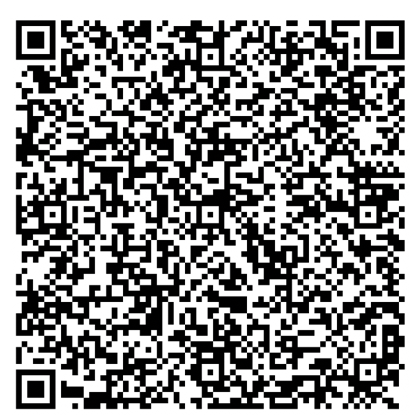
- Recipient
- Orange Structural LLC
- Zelle phone
- Phone ending 9638
- Last name, if requested
- Russ
- Required Zelle memo
- Creating reference…
01Copy the exact reference. Put it in the Zelle memo so Tech X can match your payment.
02Complete payment through your bank. Tap the Zelle link, use your bank website or app, or scan the code above.
03Check your email. Your receipt and required appointment-booking link may take up to 10 minutes.
If the email does not arrive within 10 minutes, send your official Zelle payment receipt to support@techx.support.
Tech X verifies the payment before sending appointment access. Payment alone does not reserve an appointment.
Payment verified—choose what happens next.
Your appointment is not booked yet. Choose an available time in Microsoft Bookings, or request help now and Tech X will call you if a technician is currently available.
Or call 1(844)844-0991. If a technician answers and is available, support may begin on the spot.
Venmo payment
Scan to pay with Venmo
Open your Venmo app and scan the code.


Clear next steps.
Pay Orange Structural
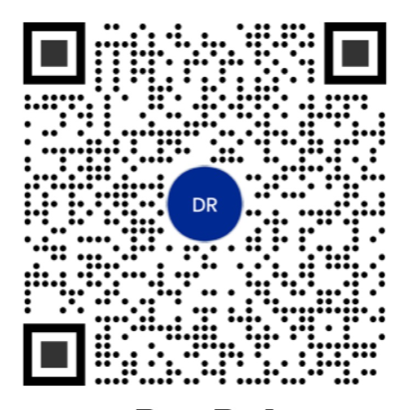
Scan to open PayPal and enter the total for your selected support block.
Confirmation triggers your receipt and booking link.
Get help moving.
Pay with Venmo
Tap or scan to open the Venmo payment code.
Confirmation triggers your receipt and booking link.Personal support.
Pay Orange Structural LLC
Scan with your bank app. Confirm Orange Structural LLC, phone ending 9638.
Bank confirmation triggers your receipt and booking link.after verified payment
Choose the time that works for you.
The checkout already captures your support request. PayPal payments unlock scheduling immediately. Zelle scheduling unlocks after the authenticated Chase receipt matches your exact amount and reference.
Never send passwords, MFA codes, full banking details, or remote-session credentials with a payment. A screenshot or payment confirmation number may be requested through the protected customer workflow. Zelle payments cannot be automatically verified by this website.